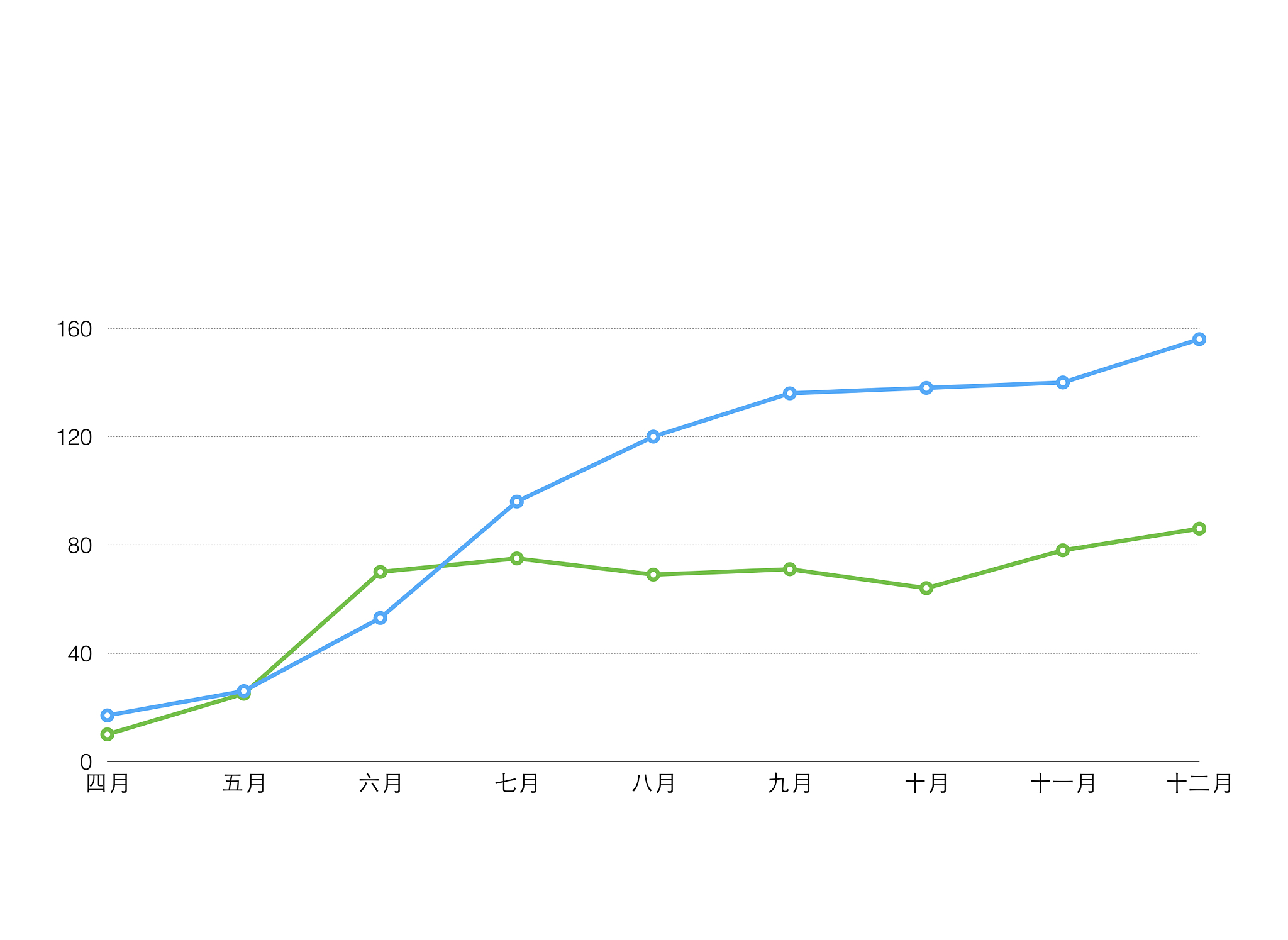
渗压力和温度数据折线图 - 2021-2023年
渗压力和温度数据折线图 - 2021-2023年
以下是2021年4月至2023年5月的渗压力和温度数据折线图,展示了时间、渗压力和温度之间的关系。
| 时间 | 渗压力 | 温度 |
|---|---|---|
| 2021/04/12 08:00 | 0.0042 | 25.32 |
| 2021/05/09 10:00 | 0.0042 | 26.14 |
| 2021/05/09 10:00 | 0.0064 | 32.35 |
| 2021/05/10 10:00 | 0.0069 | 36.15 |
| 2021/05/10 08:00 | 0.0097 | 36.15 |
| 2021/05/15 08:00 | 0.0098 | 30.71 |
| 2021/05/20 08:00 | 0.0099 | 30.75 |
| 2021/05/25 08:00 | 0.0113 | 30.73 |
| 2021/06/03 08:00 | 0.0114 | 28.96 |
| 2021/06/09 08:00 | 0.0113 | 28.93 |
| 2021/06/15 08:00 | 0.0113 | 28.87 |
| 2021/06/23 08:00 | 0.0113 | 28.72 |
| 2021/06/29 08:00 | 0.0084 | 28.72 |
| 2021/07/05 08:00 | 0.0084 | 28.48 |
| 2021/07/15 08:00 | 0.0085 | 28.48 |
| 2021/07/29 08:00 | 0.0066 | 28.50 |
| 2021/08/03 08:00 | 0.0066 | 29.30 |
| 2021/08/08 08:00 | 0.0065 | 29.31 |
| 2021/08/31 08:00 | 0.0066 | 29.32 |
| 2021/09/06 08:00 | 0.0070 | 29.30 |
| 2021/09/12 08:00 | 0.0070 | 29.15 |
| 2021/09/13 08:00 | 0.0072 | 29.10 |
| 2021/09/15 08:00 | 0.0067 | 29.14 |
| 2021/09/18 08:00 | 0.0097 | 29.25 |
| 2021/09/27 08:00 | 0.0149 | 29.11 |
| 2021/10/01 08:00 | 0.0098 | 28.52 |
| 2021/10/08 08:00 | 0.0355 | 29.27 |
| 2021/10/15 08:00 | 0.0076 | 28.93 |
| 2021/11/05 08:00 | 0.0133 | 30.43 |
| 2021/11/20 08:00 | 0.0119 | 30.30 |
| 2021/11/25 08:00 | 0.0121 | 30.21 |
| 2021/12/05 08:00 | 0.0120 | 30.19 |
| 2021/12/15 08:00 | 0.0148 | 30.15 |
| 2021/12/24 08:00 | 0.0121 | 29.97 |
| 2022/01/07 08:00 | 0.0136 | 30.00 |
| 2022/01/17 08:00 | 0.0134 | 30.36 |
| 2022/01/26 08:00 | 0.0129 | 29.81 |
| 2022/02/07 08:00 | 0.0131 | 30.29 |
| 2022/02/17 08:00 | 0.0284 | 30.21 |
| 2022/02/24 08:00 | 0.0140 | 30.08 |
| 2022/02/26 08:00 | 0.0149 | 29.74 |
| 2022/03/03 08:00 | 0.0146 | 29.65 |
| 2022/03/16 08:00 | 0.0145 | 29.72 |
| 2022/03/27 08:00 | 0.0161 | 29.89 |
| 2022/04/08 08:00 | 0.0217 | 29.88 |
| 2022/04/15 08:00 | 0.0169 | 29.71 |
| 2022/04/22 08:00 | 0.0154 | 29.69 |
| 2022/04/29 08:00 | 0.0130 | 29.89 |
| 2022/05/05 08:00 | 0.0208 | 29.96 |
| 2022/05/16 08:00 | 0.0092 | 29.64 |
| 2022/05/24 08:00 | 0.0092 | 31.02 |
| 2022/06/07 08:00 | 0.0086 | 29.85 |
| 2022/06/15 08:00 | 0.0097 | 29.65 |
| 2022/06/27 08:00 | 0.0098 | 29.58 |
| 2022/07/07 08:00 | 0.0104 | 29.72 |
| 2022/07/15 08:00 | 0.0106 | 29.67 |
| 2022/07/24 08:00 | 0.0077 | 29.34 |
| 2022/08/06 08:00 | 0.0077 | 30.10 |
| 2022/08/14 08:00 | 0.0067 | 30.19 |
| 2022/08/23 08:00 | 0.0255 | 30.43 |
| 2022/09/05 08:00 | 0.0230 | 31.81 |
| 2022/09/15 08:00 | 0.0265 | 30.24 |
| 2022/09/22 08:00 | 0.0729 | 30.11 |
| 2022/10/02 08:00 | 0.0842 | 29.89 |
| 2022/10/09 08:00 | 0.1000 | 29.79 |
| 2022/10/15 08:00 | 0.1087 | 29.72 |
| 2022/10/20 08:00 | 0.1281 | 30.41 |
| 2022/10/28 08:00 | 0.1355 | 29.28 |
| 2022/11/08 08:00 | 0.1407 | 29.89 |
| 2022/11/16 08:00 | 0.1444 | 29.73 |
| 2022/11/24 08:00 | 0.1439 | 30.05 |
| 2022/12/02 08:00 | 0.1450 | 29.94 |
| 2022/12/10 08:00 | 0.1488 | 29.94 |
| 2022/12/18 08:00 | 0.1489 | 29.54 |
| 2022/12/26 08:00 | 0.1443 | 30.01 |
| 2023/01/06 08:00 | 0.1433 | 29.76 |
| 2023/01/13 08:00 | 0.1433 | 29.45 |
| 2023/01/19 08:00 | 0.1424 | 29.44 |
| 2023/01/26 08:00 | 0.1437 | 29.40 |
| 2023/02/04 08:00 | 0.1437 | 29.35 |
| 2023/02/15 08:00 | 0.1458 | 29.72 |
| 2023/02/22 08:00 | 0.1457 | 29.52 |
| 2023/03/03 08:00 | 0.1444 | 29.77 |
| 2023/03/12 08:00 | 0.1446 | 29.61 |
| 2023/03/20 08:00 | 0.1447 | 29.95 |
| 2023/03/26 08:00 | 0.1457 | 29.55 |
| 2023/04/04 08:00 | 0.1444 | 29.77 |
| 2023/04/15 08:00 | 0.1437 | 29.61 |
| 2023/04/22 08:00 | 0.1435 | 29.44 |
| 2023/04/23 08:00 | 0.1437 | 29.43 |
| 2023/04/24 08:00 | 0.1444 | 29.38 |
| 2023/04/25 08:00 | 0.1450 | 29.41 |
| 2023/04/26 08:00 | 0.1452 | 29.47 |
| 2023/04/27 08:00 | 0.1467 | 29.45 |
| 2023/04/28 08:00 | 0.1480 | 29.46 |
| 2023/04/29 08:00 | 0.1482 | 29.40 |
| 2023/04/30 08:00 | 0.1505 | 29.43 |
| 2023/05/01 08:00 | 0.1515 | 29.44 |
| 2023/05/02 08:00 | 0.1568 | 29.42 |
| 2023/05/03 08:00 | 0.1589 | 29.26 |
| 2023/05/04 08:00 | 0.1602 | 29.31 |
| 2023/05/05 08:00 | 0.1621 | 29.30 |
| 2023/05/06 08:00 | 0.1637 | 29.34 |
| 2023/05/07 08:00 | 0.1645 | 29.35 |
| 2023/05/09 08:00 | 0.1647 | 29.36 |
| 2023/05/10 08:00 | 0.1655 | 29.17 |
| 2023/05/11 08:00 | 0.1673 | 29.44 |
| 2023/05/12 08:00 | 0.1686 | 29.46 |
| 2023/05/13 08:00 | 0.1698 | 29.22 |
| 2023/05/14 08:00 | 0.1696 | 29.35 |
| 2023/05/15 08:00 | 0.1708 | 29.31 |
| 2023/05/16 08:00 | 0.1704 | 29.35 |
| 2023/05/17 08:00 | 0.1729 | 29.39 |
| 2023/05/18 08:00 | 0.1747 | 29.35 |
| 2023/05/19 08:00 | 0.1772 | 28.89 |
| 2023/05/20 08:00 | 0.1774 | 29.08 |
| 2023/05/21 08:00 | 0.1767 | 29.24 |
| 2023/05/22 08:00 | 0.1778 | 29.41 |
| 2023/05/24 08:00 | 0.1789 | 29.40 |
| 2023/05/25 08:00 | 0.1802 | 29.44 |
| 2023/05/26 08:00 | 0.1819 | 29.44 |
| 2023/05/27 08:00 | 0.1827 | 29.43 |
| 2023/05/28 08:00 | 0.1829 | 29.42 |
| 2023/05/29 08:00 | 0.1840 | 29.42 |
| 2023/05/30 08:00 | 0.1845 | 29.43 |
| 2023/05/31 08:00 | 0.1845 | 29.47 |
代码示例:
package 折线图;

import org.apache.poi.ss.usermodel.Cell;
import org.apache.poi.ss.usermodel.CellType;
import org.apache.poi.ss.util.CellRangeAddress;
import org.apache.poi.xddf.usermodel.chart.*;
import org.apache.poi.xssf.usermodel.*;

import java.io.FileInputStream;
import java.io.FileOutputStream;
import java.io.IOException;
import java.text.SimpleDateFormat;
import java.util.Date;

public class ExcelChartExample04 {

    public static void main(String[] args) {
        try {
            // 读取Excel文件
            FileInputStream fileIn = new FileInputStream("input-1.xlsx");
            XSSFWorkbook workbook = new XSSFWorkbook(fileIn);
            XSSFSheet sheet1 = workbook.getSheet("P1");

            // 创建折线图
            XSSFDrawing drawing = sheet1.createDrawingPatriarch();
            XSSFClientAnchor anchor = drawing.createAnchor(0, 0, 0, 0, 0, 129, 10, 149);
            XDDFChart chart = drawing.createChart(anchor);
            chart.setTitleText("数据折线图");
            chart.setTitleOverlay(false);

            // 设置图例位置
            XDDFChartLegend legend = chart.getOrAddLegend();
            legend.setPosition(LegendPosition.BOTTOM);

            // 设置横坐标轴为日期坐标轴
            XDDFDataSource<?> dateSource = XDDFDataSourcesFactory.fromNumericCellRange(sheet1, new CellRangeAddress(0, 0, 0, 126));
            XDDFDateAxis bottomAxis = chart.createDateAxis(AxisPosition.BOTTOM);
            bottomAxis.setCrosses(AxisCrosses.AUTO_ZERO);
            bottomAxis.setTitle("时间");
            bottomAxis.setTickLabelPosition(AxisTickLabelPosition.NEXT_TO);

            // 设置时间格式
            SimpleDateFormat dateFormat = new SimpleDateFormat("yyyy-MM-dd");
            for (int i = 0; i < dateSource.getPointCount(); i++) {
                XSSFRow row = sheet1.getRow(i + 1);
                if (row != null) {
                    Cell cell = row.getCell(0);
                    if (cell != null && cell.getCellType() == CellType.NUMERIC) {
                        Date date = cell.getDateCellValue();
                        String formattedDate = dateFormat.format(date);
                        bottomAxis.setTickLabelPosition(AxisTickLabelPosition.NEXT_TO);
                    }
                }
            }

            // 设置左侧坐标轴为温度坐标轴
            XDDFValueAxis leftAxis = chart.createValueAxis(AxisPosition.LEFT);
            leftAxis.setCrosses(AxisCrosses.AUTO_ZERO);
            leftAxis.setTitle("温度");

            // 设置右侧坐标轴为数值坐标轴
            XDDFValueAxis rightAxis = chart.createValueAxis(AxisPosition.RIGHT);
            rightAxis.setCrosses(AxisCrosses.MAX);
            rightAxis.setTitle("数据值");

            // 设置数据源
            XDDFNumericalDataSource<Double> xs1 = XDDFDataSourcesFactory.fromNumericCellRange(sheet1, new CellRangeAddress(1, 127, 0, 0));
            XDDFNumericalDataSource<Double> ys1 = XDDFDataSourcesFactory.fromNumericCellRange(sheet1, new CellRangeAddress(1, 127, 1, 1));
            XDDFNumericalDataSource<Double> xs2 = XDDFDataSourcesFactory.fromNumericCellRange(sheet1, new CellRangeAddress(1, 127, 0, 0));
            XDDFNumericalDataSource<Double> ys2 = XDDFDataSourcesFactory.fromNumericCellRange(sheet1, new CellRangeAddress(1, 127, 2, 2));

            // 添加数据系列
            XDDFLineChartData data = (XDDFLineChartData) chart.createData(ChartTypes.LINE, bottomAxis, leftAxis);
            XDDFLineChartData.Series series1 = (XDDFLineChartData.Series) data.addSeries(xs1, ys1);
            series1.setTitle("折线图1", null);

            // 添加第二个数据系列
            XDDFLineChartData.Series series2 = (XDDFLineChartData.Series) data.addSeries(xs2, ys2);
            series2.setTitle("折线图2", null);
            series2.setSmooth(false); // 取消平滑曲线

            // 将第二个数据系列关联到右侧坐标轴
            chart.plot(data);
            chart.getCTChart().getPlotArea().getLineChartArray(0).getSerArray(1).getIdx().setVal(1);

            // 保存Excel文件
            FileOutputStream fileOut = new FileOutputStream("input-1.xlsx");
            workbook.write(fileOut);
            fileOut.close();

            System.out.println("折线图已创建并保存到Excel文件中。");

        } catch (IOException e) {
            e.printStackTrace();
        }
    }
}
请注意,代码示例中“input-1.xlsx”是您的Excel文件路径,请根据实际情况进行修改。代码中的anchor参数需要根据您的数据所在的位置和大小来调整,以确保折线图正确显示在您想要的位置。
原文地址: https://www.cveoy.top/t/topic/fSwp 著作权归作者所有。请勿转载和采集!